- Published on
- |- 次浏览
UE4对windows文件的操作
- Authors

- Name
- 东哥
前言
此文简单记录UE4对windows文件的处理
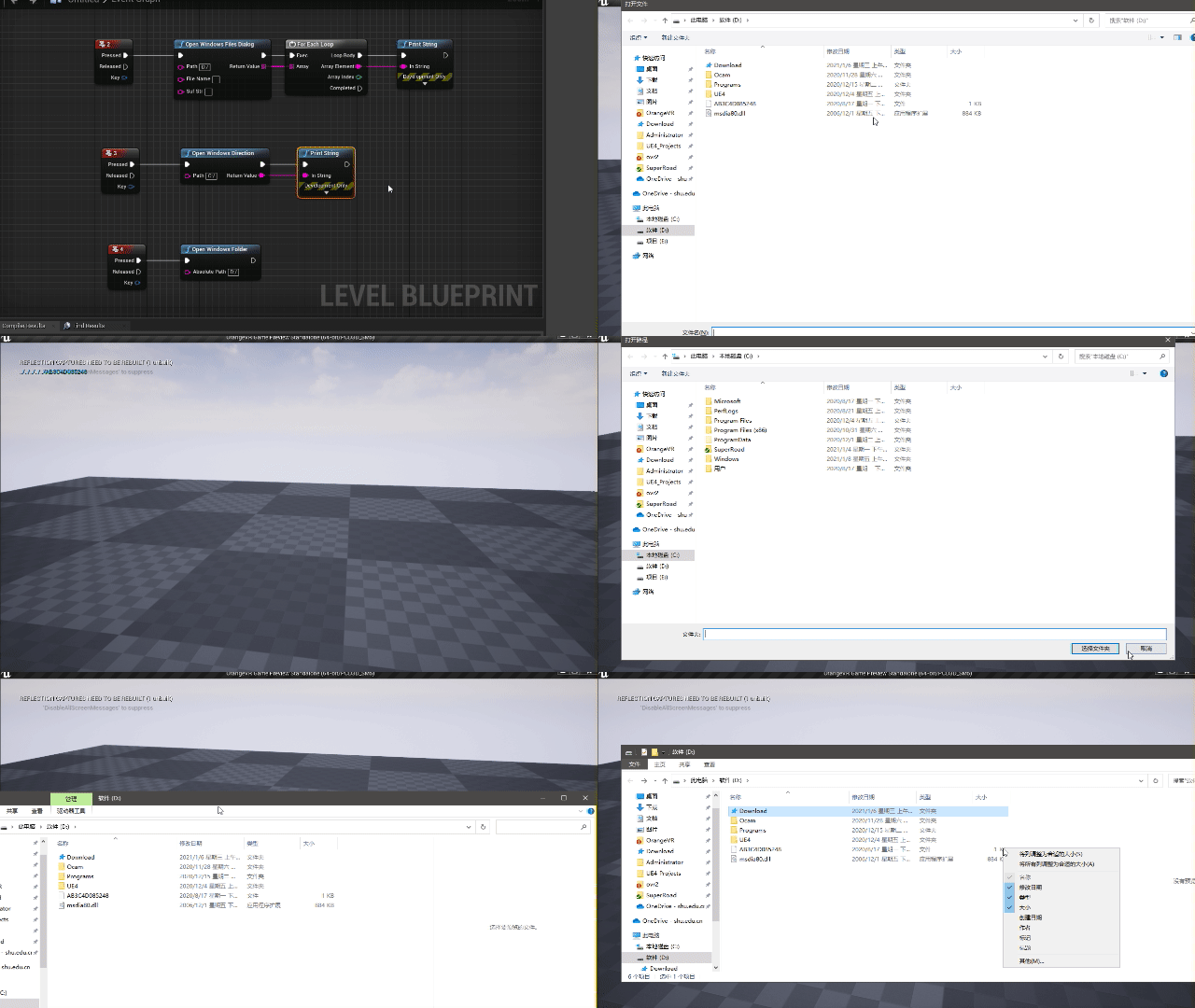
打开窗口读取文件
`TArray<FString>` UFlib_IO::OpenWindowsFilesDialog(const FString& Path, const FString& fileName, const FString& SufStr)
{
	`TArray<FString>` OpenFileNames;//获取的文件绝对路径

	FString ExtensionStr = SufStr.IsEmpty()?TEXT("*.*"):SufStr;//文件类型
	IDesktopPlatform* DesktopPlatform = FDesktopPlatformModule::Get();
	DesktopPlatform->OpenFileDialog(nullptr, TEXT("打开文件"), Path, fileName,*SufStr, EFileDialogFlags::None,OpenFileNames);
	return OpenFileNames;
}
此方法最后返回的是文件的绝对路径,而非打开文件
打开窗口读取文件夹路径
FString UFlib_IO::OpenWindowsDirection(const FString& Path)
{
	FString oldPath;
	IDesktopPlatform* DesktopPlatform = FDesktopPlatformModule::Get();
	DesktopPlatform->OpenDirectoryDialog(nullptr, TEXT("打开路径"), Path, oldPath);
	return oldPath;
}
同上, 不一样的是返回的是文件夹的路径
打开exe程序
void UFlib_IO::OpenWindowsExe(const FString& AbsolutePath)
{
	FWindowsPlatformProcess::CreateProc(*AbsolutePath, nullptr, true, false, false, nullptr, -1, nullptr, nullptr);
}
比较简单, 但是需要注意的是只能运行exe, 其他比如txt等不能用此方式运行
打开文件夹
void UFlib_IO::OpenWindowsFolder(const FString& AbsolutePath)
{
	FWindowsPlatformProcess::ExploreFolder(*AbsolutePath);
}
此为windows版本,类似的也有其他比如安卓版本的打开