- Published on
- |- 次浏览
DebugUI的一些优化方案
- Authors

- Name
- 东哥
前言
游戏中经常会有需要一些调试菜单或者GM菜单,如下
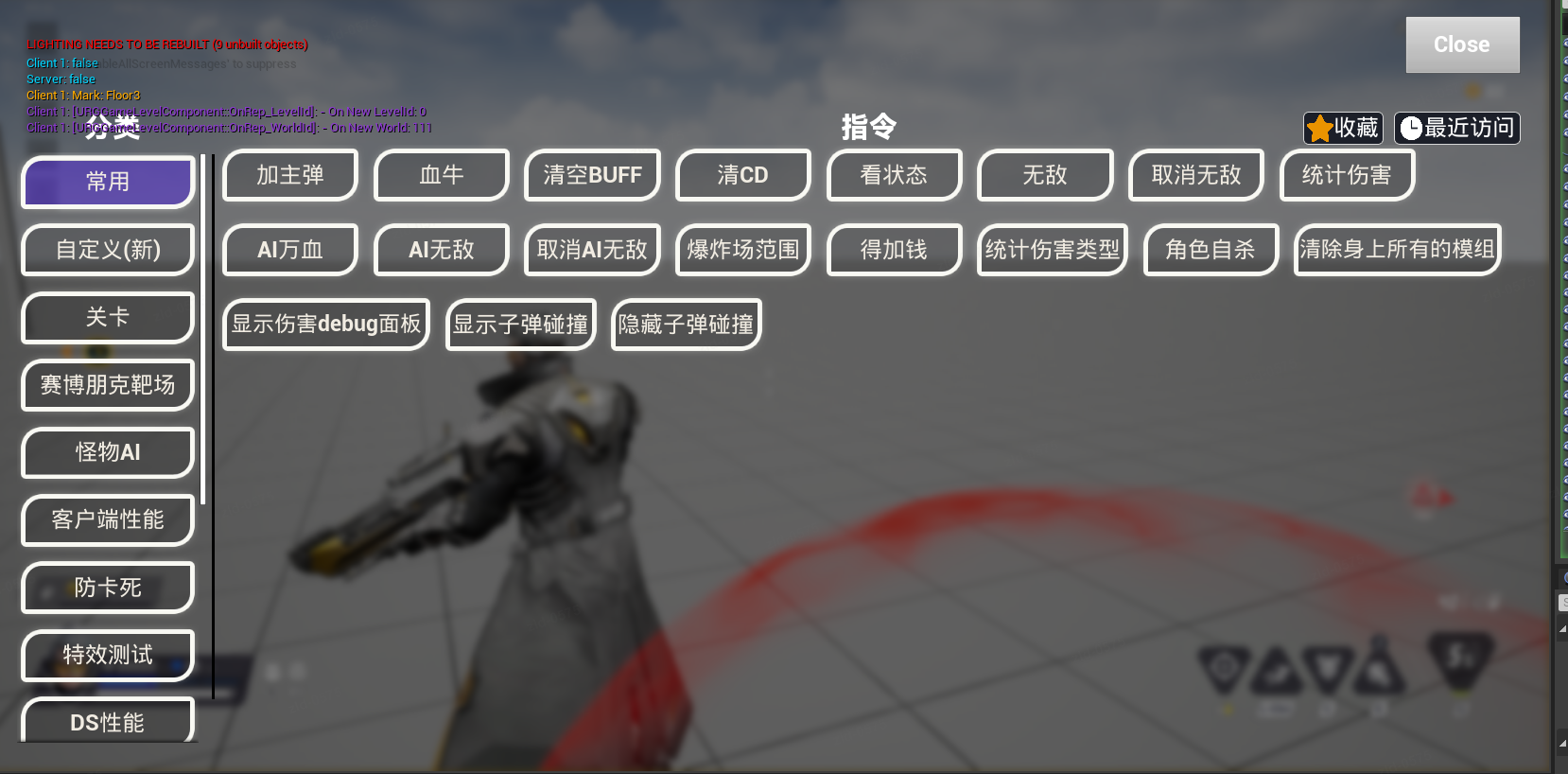
功能上没有太大的问题,但是大面积的UI会非常影响游戏内容的观察,甚至并不能与游戏画面的同时运行
那么整理并记录一下更便捷的UI方案
纯粹的编辑器UI
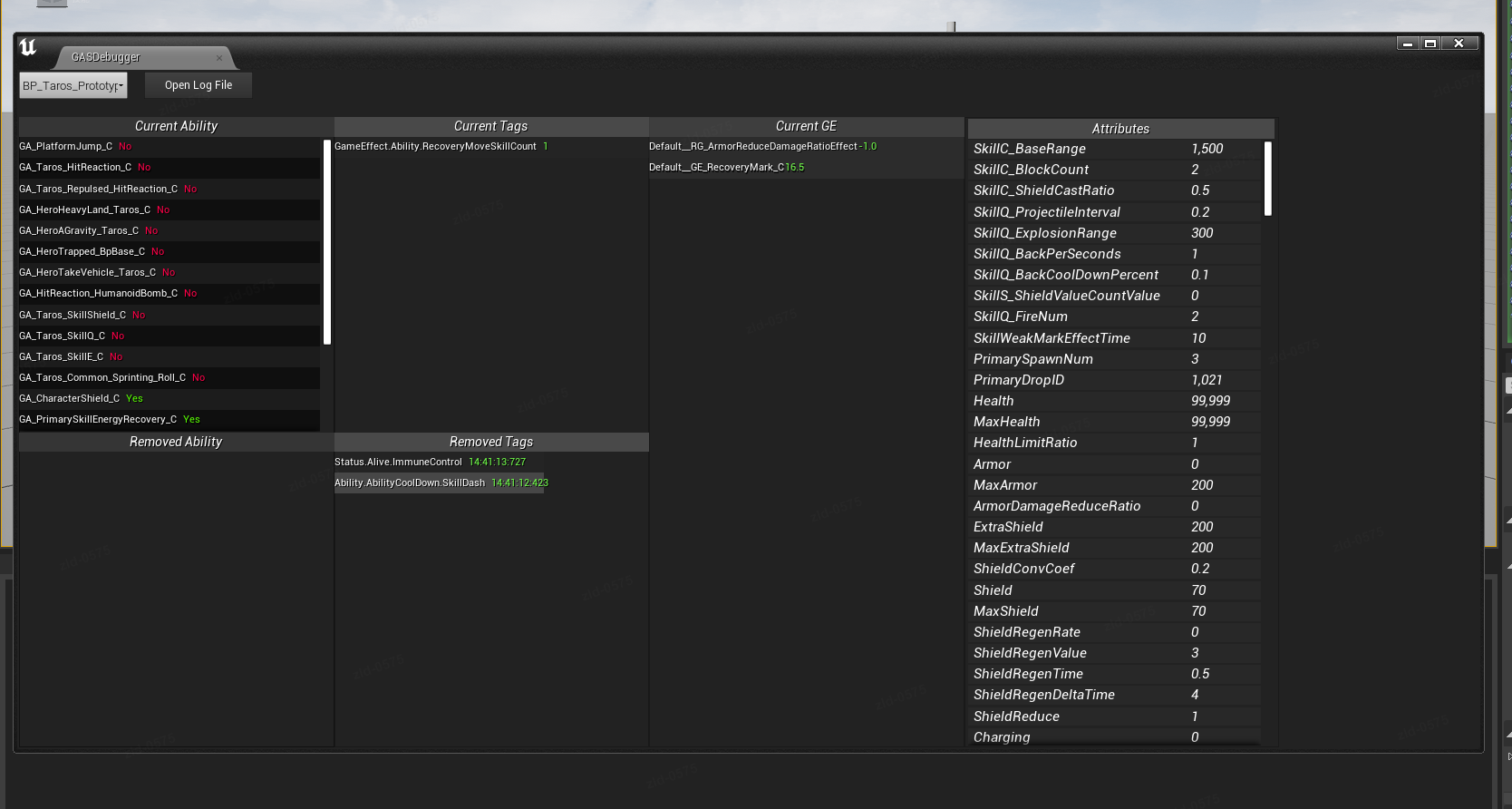
方案是打开一个EU(EditorUtility),然后监听或者执行游戏内的逻辑和信息
当然也可以不是EU, 一般的UMG也可以,但是既然是仅编辑器运行的,用EU也可以方便蓝图调用很多编辑器API,偶尔还是需要的
这里主要有2个注意点, 一个是如何方便的打开EU, 还有是EU内如何正确的获取游戏世界的信息
打开EU
最粗暴的方法是找到EU资源然后右键打开,但是太不方便
如果调试功能比较独立,建议封装成插件使用,然后插件本身去创建一个toolbar或者window button,通过这些编辑器按钮打开EU是比较方便的
注册按钮创建插件是自带的,这里略过
核心就是用EU蓝图资源来填充窗口,简单的代码如下
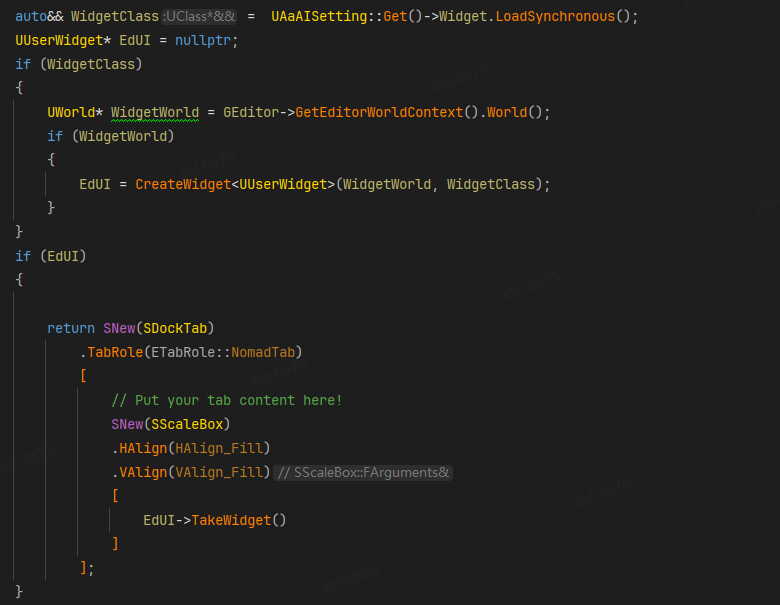
获取正确的世界
默认情况下, EU内的蓝图逻辑获取的世界都是Editor的世界,比如你可以访问放在场景中的actor对象,对齐进行修改操作,但这不是我们想要的,我们需要的是游戏运行以后的世界对象的信息
所以必须得用cpp封装一些方便蓝图使用的方法
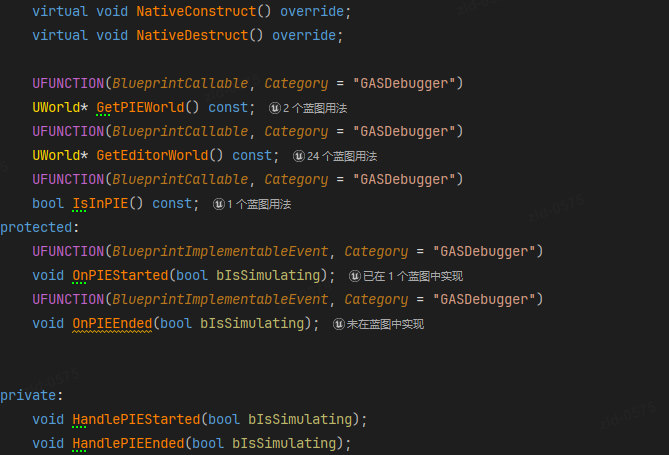
void UAaDebuggerWidgetBase::NativeConstruct()
{
	Super::NativeConstruct();

	FEditorDelegates::PostPIEStarted.AddUObject(this, &UAaDebuggerWidgetBase::HandlePIEStarted);
	FEditorDelegates::EndPIE.AddUObject(this, &UAaDebuggerWidgetBase::HandlePIEEnded);
}

void UAaDebuggerWidgetBase::NativeDestruct()
{
	FEditorDelegates::BeginPIE.RemoveAll(this);
	FEditorDelegates::EndPIE.RemoveAll(this);

	Super::NativeDestruct();
}

UWorld* UAaDebuggerWidgetBase::GetPIEWorld() const
{
	if (GEditor)
	{
		if (GEditor->GetPIEWorldContext())
		{
			return GEditor->GetPIEWorldContext()->World();
		}
	}
	return nullptr;
}

UWorld* UAaDebuggerWidgetBase::GetEditorWorld() const
{
	return GEditor ? GEditor->GetEditorWorldContext().World() : nullptr;
}

bool UAaDebuggerWidgetBase::IsInPIE() const
{
	return GetPIEWorld() != nullptr;
}

void UAaDebuggerWidgetBase::HandlePIEStarted(bool bIsSimulating)
{
	OnPIEStarted(bIsSimulating);
}

void UAaDebuggerWidgetBase::HandlePIEEnded(bool bIsSimulating)
{
	OnPIEEnded(bIsSimulating);
}
这样在蓝图中就能正确的获取actor信息,也可以监听到PIE运行的时机了
同时支持运行时的UI
如果UI在打包环境下还是需要支持的,那么EU就不够了,但是又不想UI充满整个屏幕,那么就要用到另外的方法
核心的类就是SWindow
我们在某个具体的类里面加一个可以方法
UUserWidget* URGUIManager::OpenUMGInNewWindow(`TSubclassOf<UUserWidget>` WidgetClass,FText Title,  int32 Width, int32 Height,
	APlayerController* OwningPC)
{
	if (!GetWorld() || !WidgetClass) return nullptr;

	if (!OwningPC)
	{
		if (ULocalPlayer* LP = GetWorld()->GetFirstLocalPlayerFromController())
			OwningPC = LP->GetPlayerController(GetWorld());
	}

	UUserWidget* Widget = `CreateWidget<UUserWidget>`(OwningPC, WidgetClass);
	if (!Widget) return nullptr;

	`TSharedRef<SWindow>` NewWindow = SNew(SWindow)
		.Title(Title)
		.ClientSize(FVector2D(Width, Height))
		.SupportsMaximize(true)
		.SupportsMinimize(true)
		.HasCloseButton(true)
		.IsTopmostWindow(false);

	// 把 UMG 转成 Slate
	`TSharedRef<SWidget>` SlateWidget = Widget->TakeWidget();
	NewWindow->SetContent(SlateWidget);
	// 监听关闭事件
	NewWindow->SetOnWindowClosed(FOnWindowClosed::CreateUObject(this, &ThisClass::OnWindowClosed));

	FSlateApplication::Get().AddWindow(NewWindow);

	// 保存引用,避免 GC / 提前销毁
	FRuntimeWindowEntry Entry;
	Entry.Window = NewWindow;
	Entry.Widget = Widget;
	OpenedWindows.Add(MoveTemp(Entry));
	SpawnedWidgets.Add(Widget);

	return Widget;
}
因为要保存起来,所以建议不要用函数库的方法,可以是某个subsystem
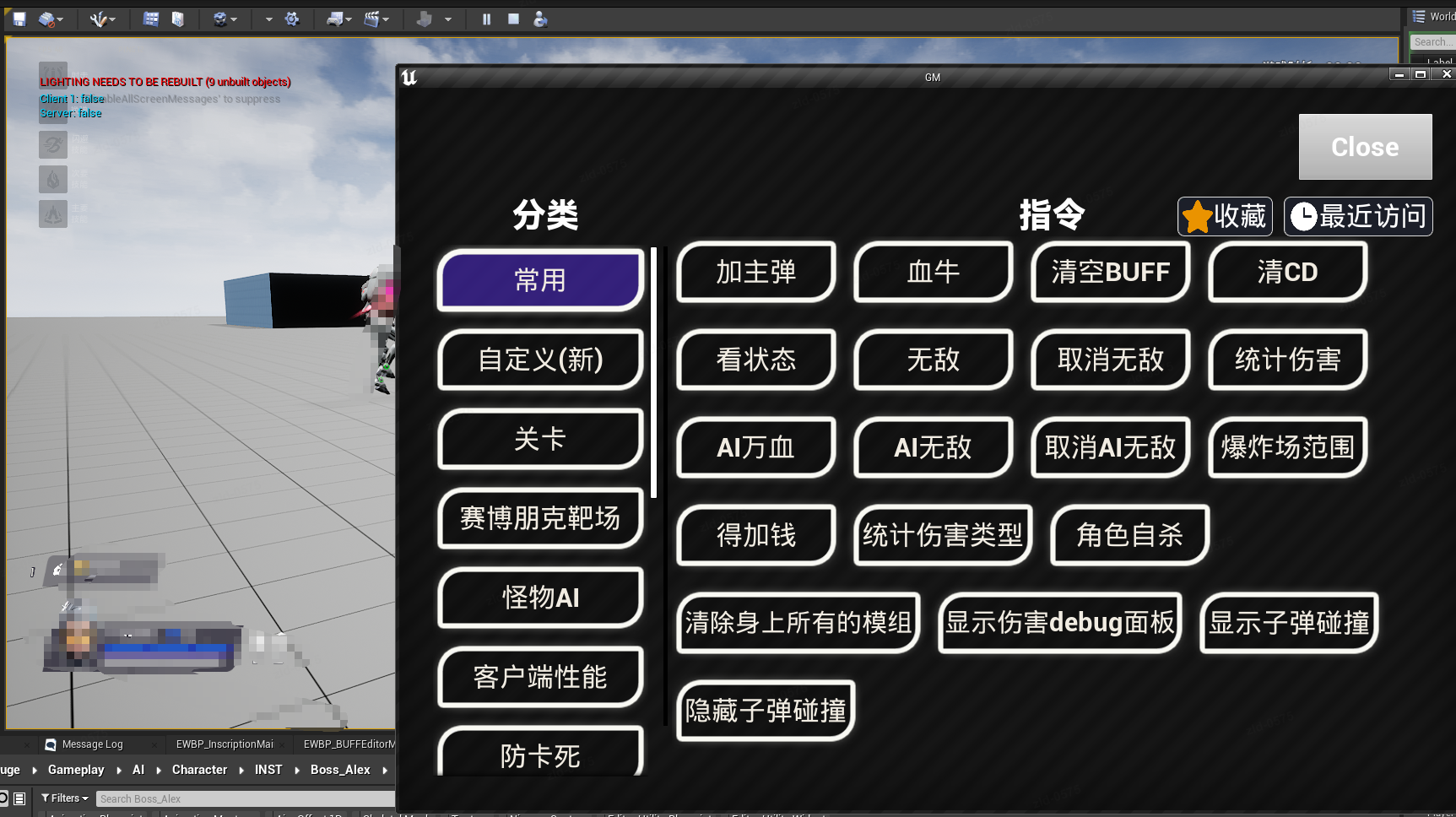
这样GM菜单就是独立存在的(可以放到副屏幕上)
需要注意的是要正确的管理好GC,需要在合适的时机移除掉UI
比如
//合适的初始化的位置
FGameDelegates::Get().GetEndPlayMapDelegate().AddUObject(this, &ThisClass::CloseAllRuntimeWindows);


void URGUIManager::DetachSlateFromWindow(const `TSharedRef<SWindow>`& InWindow, UUserWidget* Widget)
{
	// 先把 SObjectWidget 从窗口树里摘掉
	InWindow->SetContent(SNullWidget::NullWidget);

	// 再让 UMG 释放它的 Slate 资源,避免 SObjectWidget 在 GC 中途才析构
	if (Widget)
	{
		Widget->ReleaseSlateResources(true);
		// RemoveFromParent() 可加可不加:它对非 Viewport 树的情况不总是起作用
	}

}
void URGUIManager::CloseAllRuntimeWindows()
{
	if (!FSlateApplication::IsInitialized()) return;

	// 复制一份,避免回调改动原容器造成迭代器失效
	`TArray<FRuntimeWindowEntry>` ToClose = OpenedWindows;

	// 先解绑回调 & 主动拆离(防 GC 时机碰撞)
	for (FRuntimeWindowEntry& E : ToClose)
	{
		if (E.Window.IsValid())
		{
			E.Window->SetOnWindowClosed(FOnWindowClosed()); // 解绑回调,避免重复清理
			DetachSlateFromWindow(E.Window.ToSharedRef(), E.Widget.Get());
		}
	}

	// 再发起关闭请求
	for (FRuntimeWindowEntry& E : ToClose)
	{
		if (E.Window.IsValid())
		{
			FSlateApplication::Get().RequestDestroyWindow(E.Window.ToSharedRef());
		}
	}

	// 最后统一清空我们自己的引用
	OpenedWindows.Reset();
	SpawnedWidgets.Reset();
}